
Set Whether New Members Can View History
Overview
Group owners and administrators can decide whether new members see messages sent before they joined and how much history is available.
Steps
Desktop
-
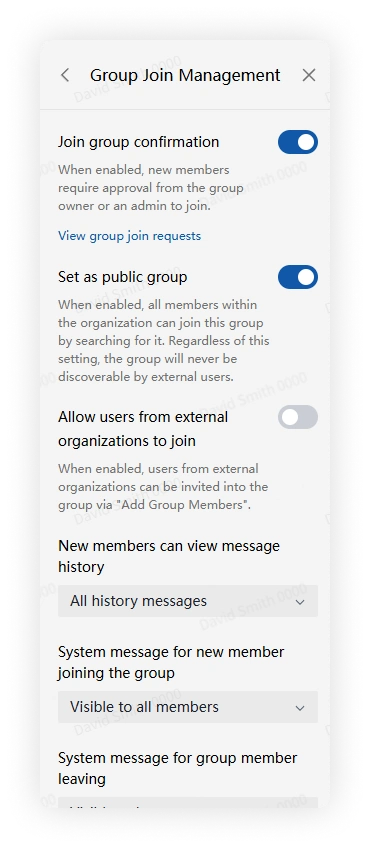
Open More Group Info > Group Management > Join Management.
-
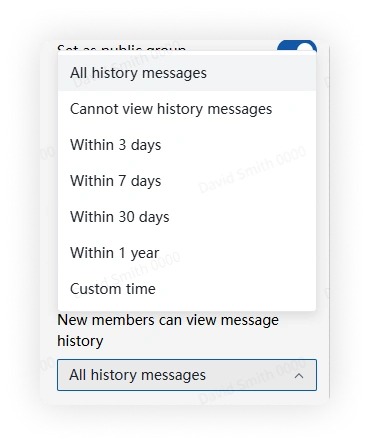
Open New members can view history messages, then choose whether history is visible and how far back new members can view.
Mobile
-
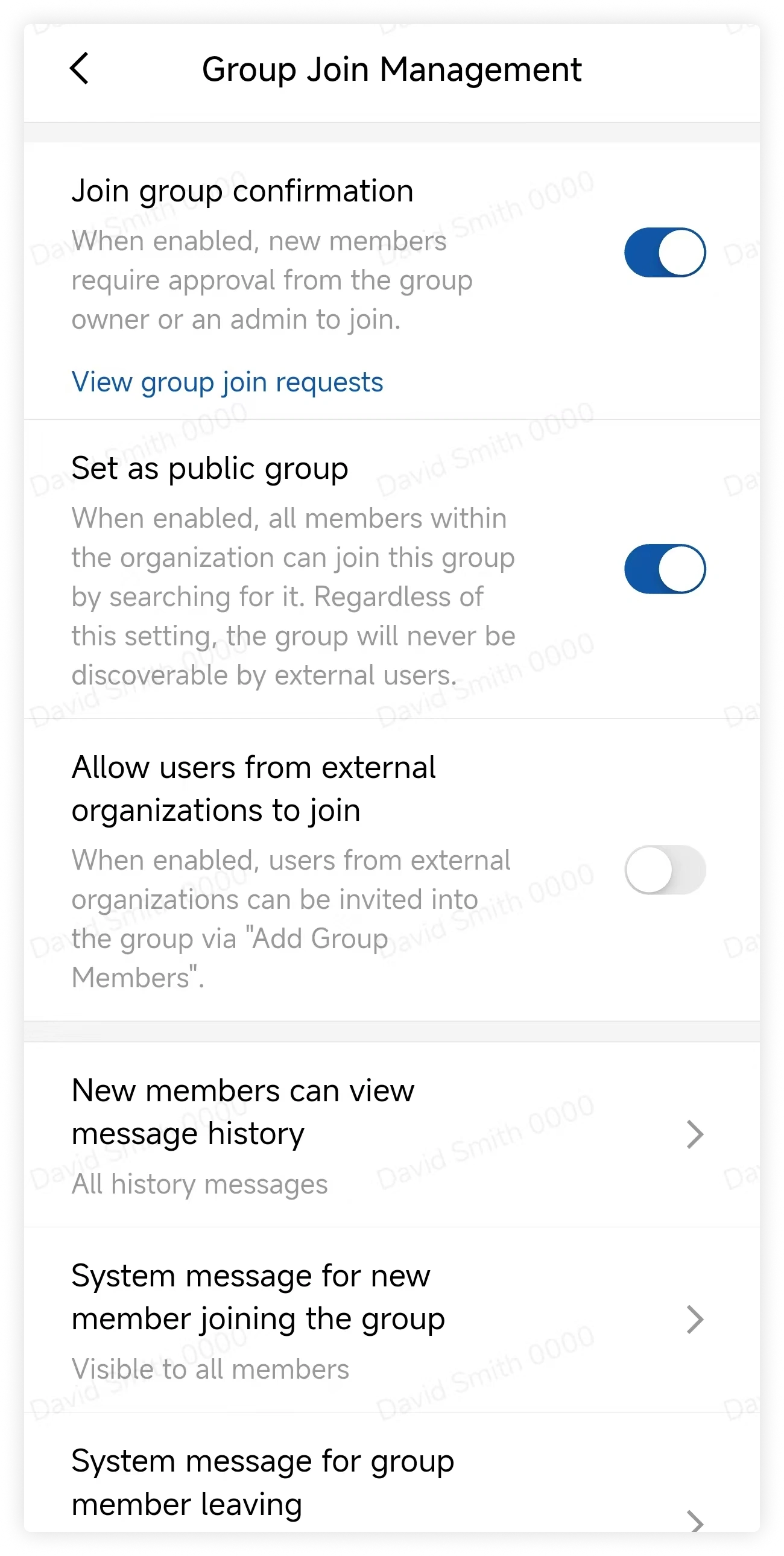
Open More Group Info > Group Management > Join Management.
-
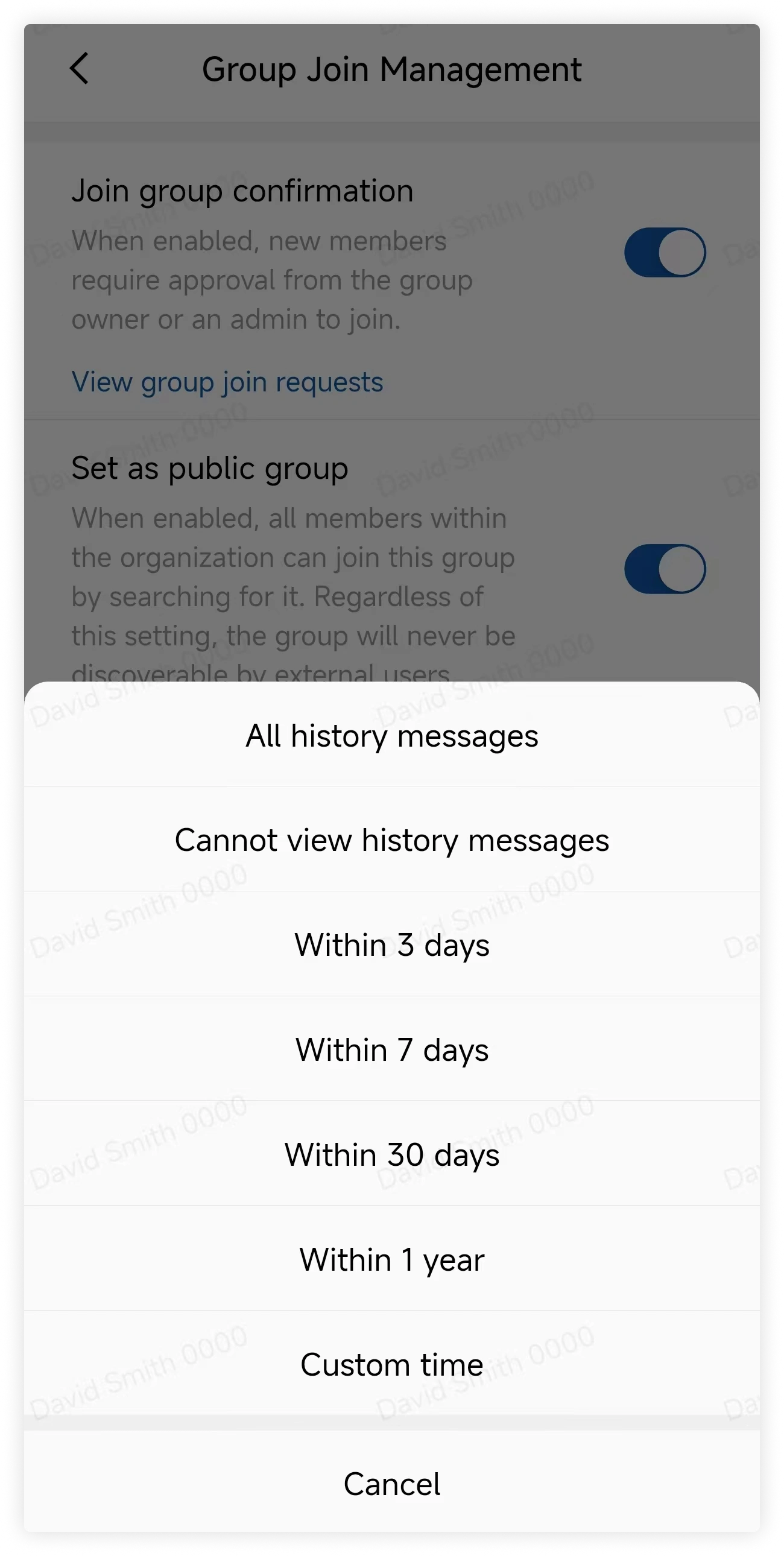
Open New members can view history messages, then configure visibility and the available time range.
FAQ
If this option is turned off after members already joined, can they still see history?
Yes. Each member keeps the history access that applied when they joined the group.
How do I remove members?
Only group owners and administrators can remove members. Open More Group Info > Group Members, select Remove, choose the members, and confirm.