
Pin Chats in the Chat List
Overview
Pin frequently used conversations so they remain at the top of the chat list.
Steps
Desktop
-
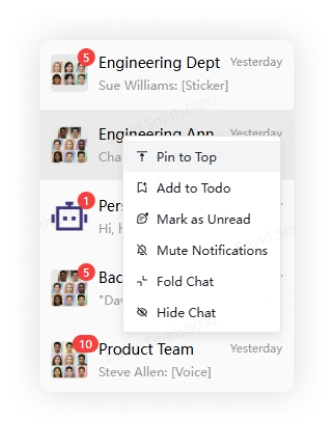
Right-click a conversation in the chat list and select Pin.
-
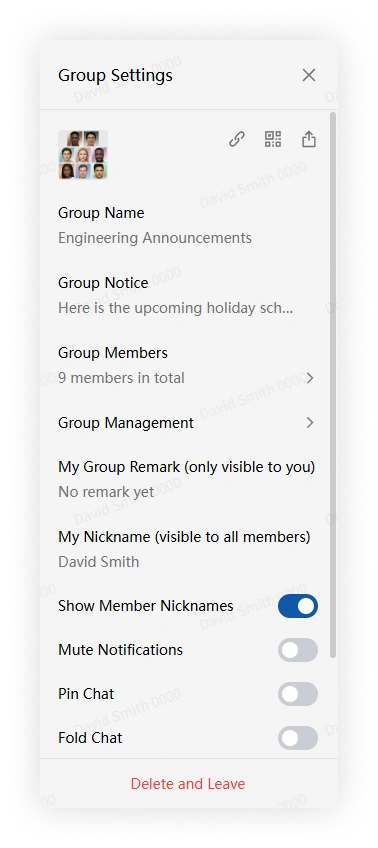
Alternatively, open the conversation, click More Group Info, and select Pin Chat.
Mobile
-
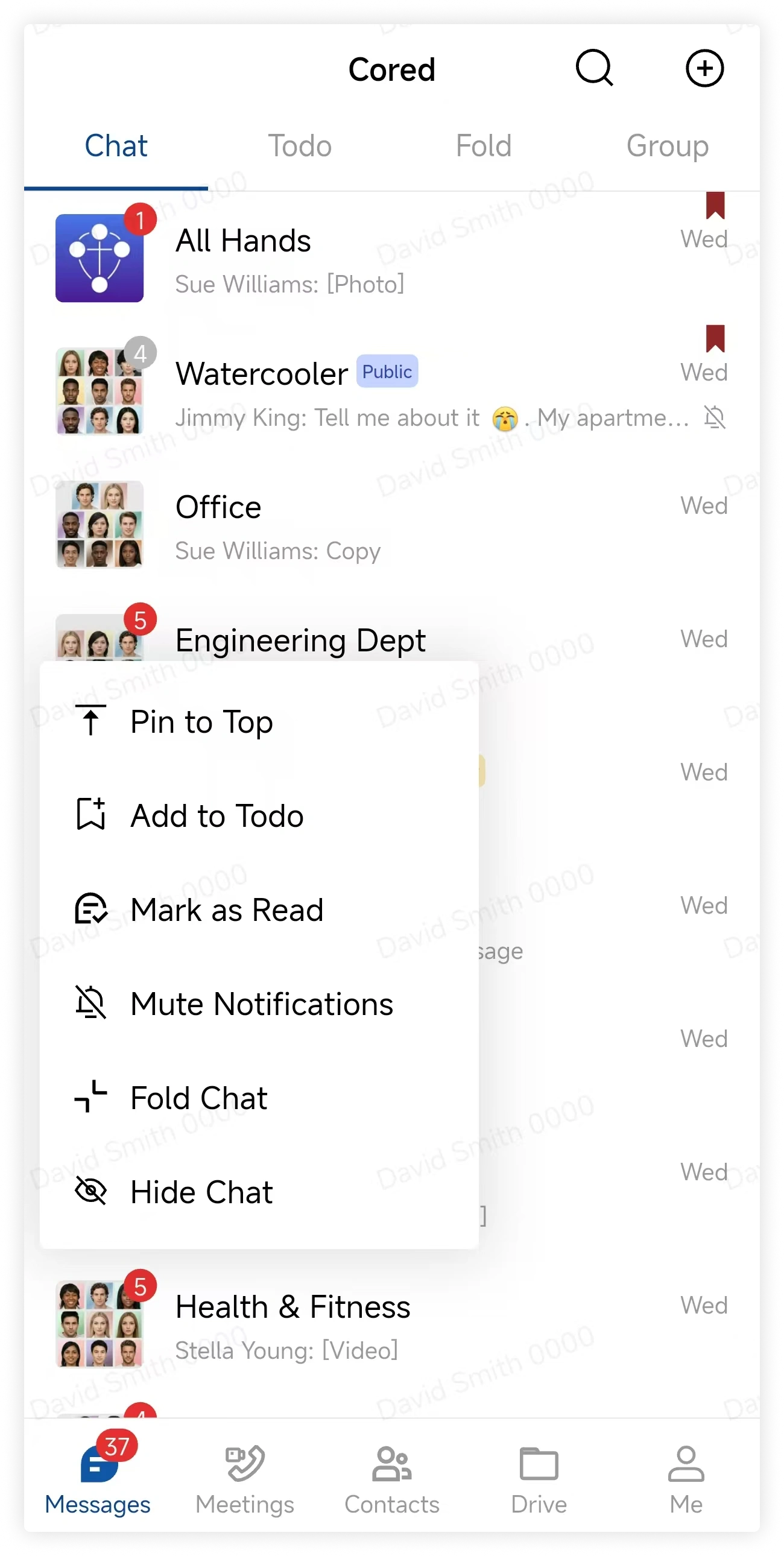
Long-press a conversation in the chat list and tap Pin.
-
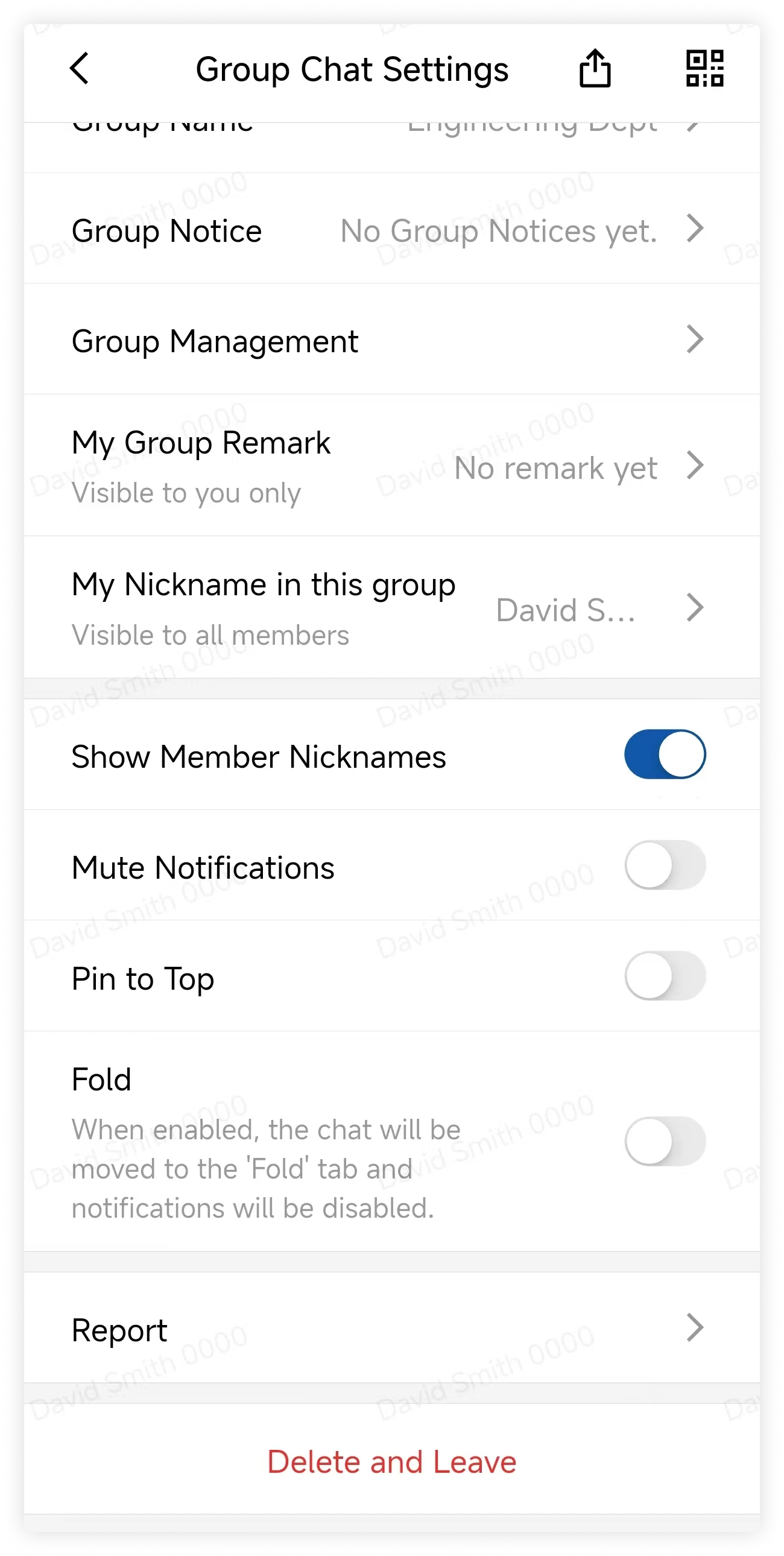
Alternatively, open the conversation, tap More Group Info, and select Pin.
FAQ
With multiple pinned chats, which one appears first?
Pinned conversations are ordered by recent activity. The conversation with the newest message appears first.