
Recall Messages
Overview
You can recall your own messages before the recall time limit expires. In group chats, group owners and administrators can also recall messages sent by members.
The available recall actions and time limit depend on your organization's policy.
Sender recalls their own messages
Desktop
Right-click the message and select Recall.
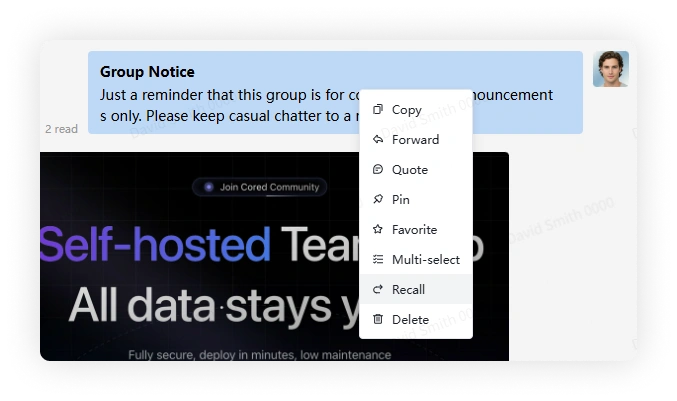
- You cannot recall a message after deleting it from your own view.
- A recall notice replaces the original message.
Mobile
Long-press the message and select Recall.
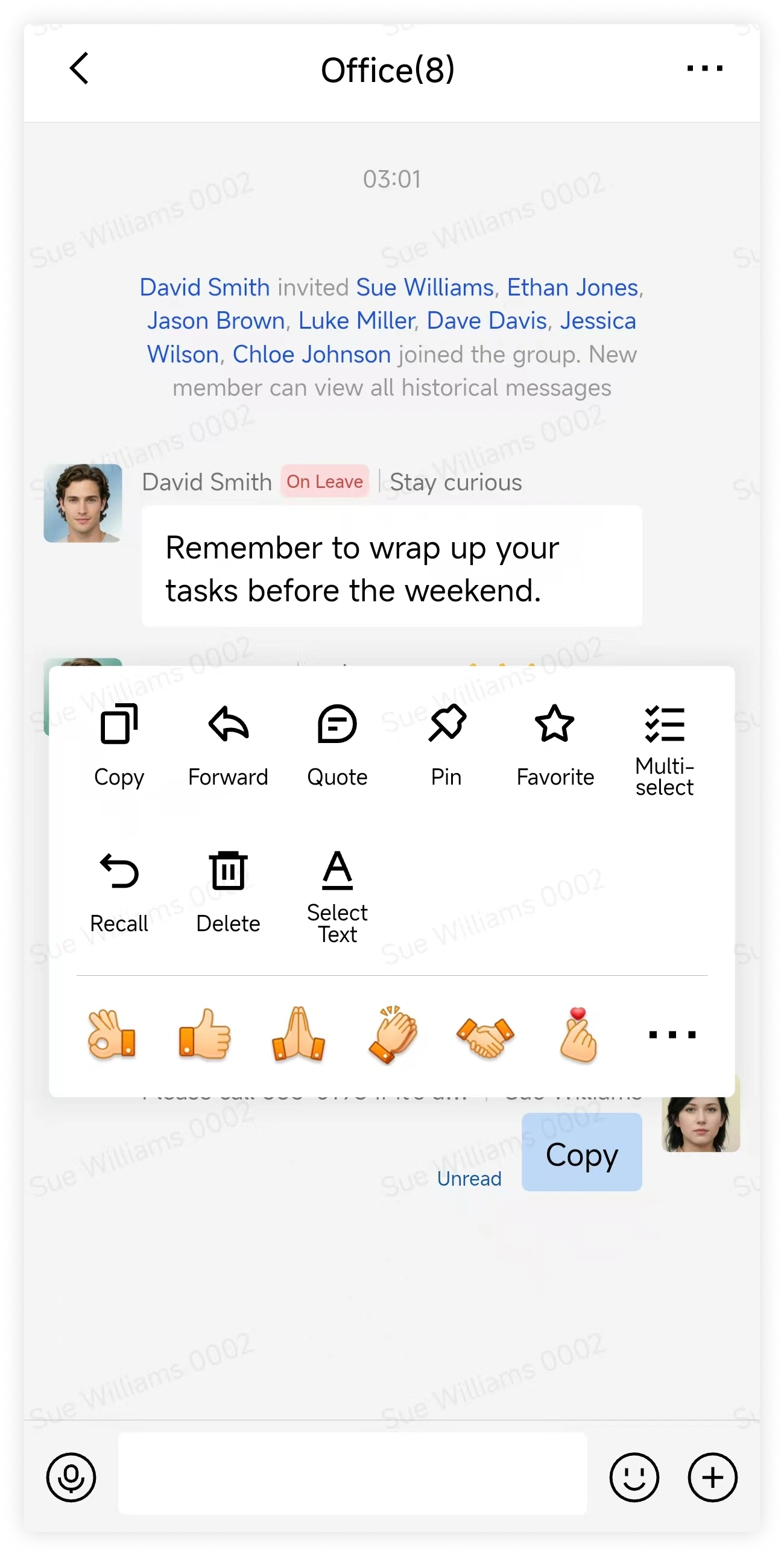
- You cannot recall a message after deleting it from your own view.
- A recall notice replaces the original message.
Recall a member's message as a group owner or administrator
Desktop
Right-click the message and select Recall.
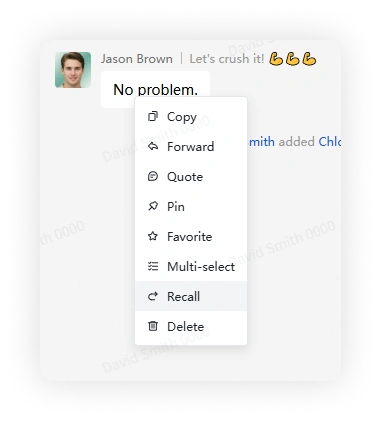
- You cannot recall a message after deleting it from your own view.
- A message that a member deleted only from their own view may remain available for a group owner or administrator to recall.
- A recall notice replaces the original message.
Mobile
Long-press the message and select Recall.
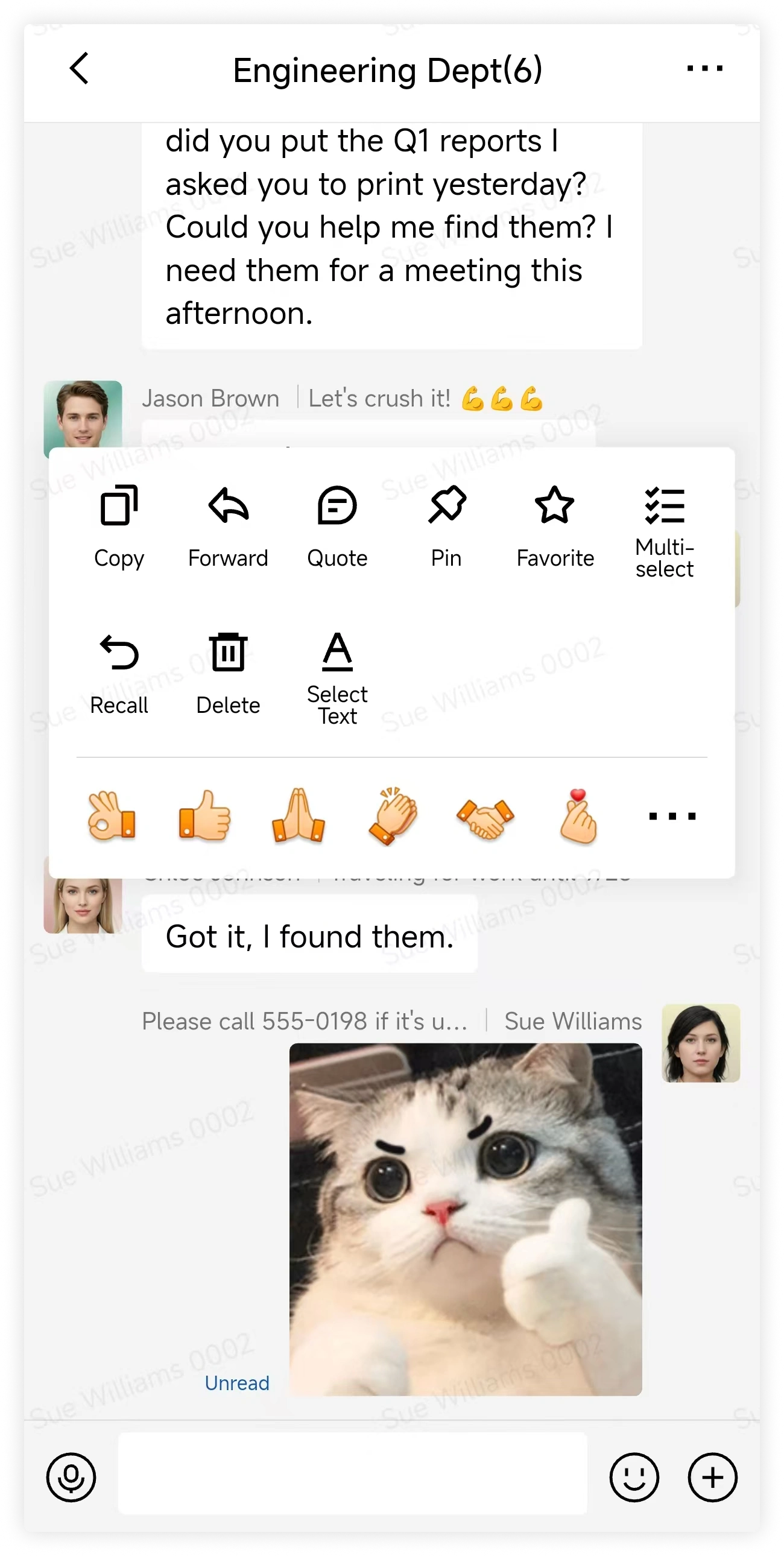
- You cannot recall a message after deleting it from your own view.
- A message that a member deleted only from their own view may remain available for a group owner or administrator to recall.
- A recall notice replaces the original message.
FAQ
Why can't I recall a message?
Possible reasons:
- Your organization's policy does not allow members to recall messages.
- The recall time limit has expired.
Can enterprise admins recall all member messages?
No. An enterprise administrator can recall member messages only in groups where they are also the group owner or a group administrator.