
Share a Group Chat
Overview
Invite organization members by sending a group card or link, or by sharing a group QR code.
Group owners and administrators can restrict sharing from More Group Info > Group Management > Member Operation Permissions. Change Who can add members / share groups when sharing should be limited to group management roles.
Share by group card
-
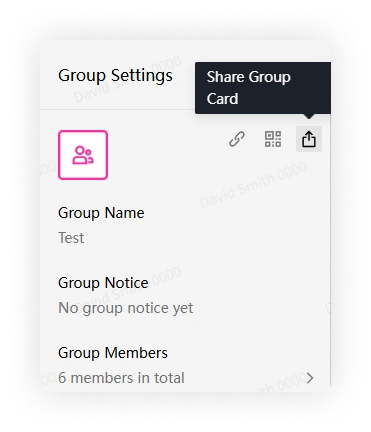
Open More Group Info and click Share Group Card.
-
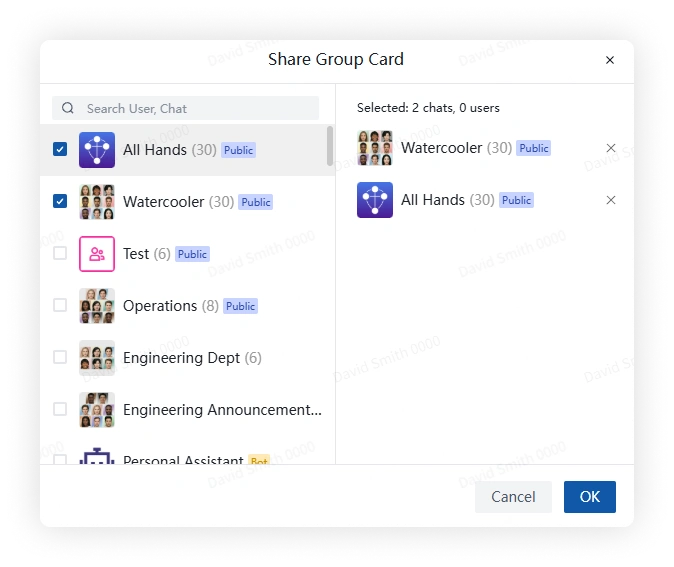
Select a person or group conversation and send the card. Recipients can open the card to join.
Share by group link
-
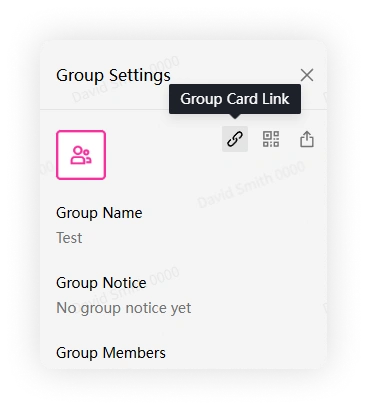
Open More Group Info and click Group Link.
-
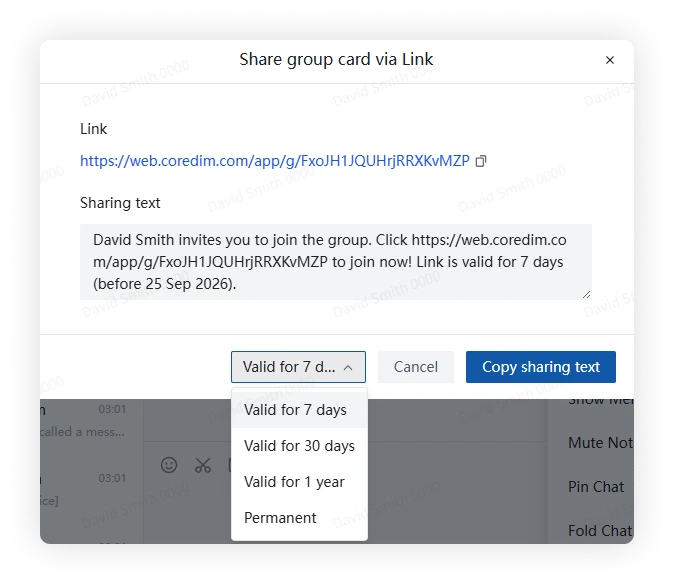
Choose how long the link remains valid. Available options include 7 days, 30 days, 1 year, and permanent.
-
Copy and share the link. Recipients can open it to join.
Share by group QR code
-
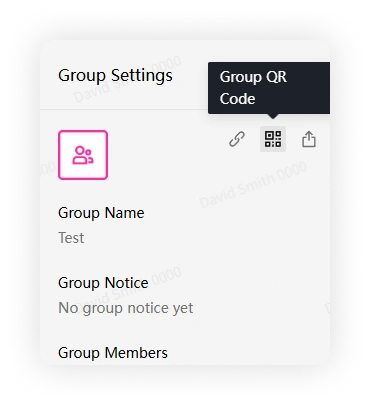
Open More Group Info and click Group QR Code.
-
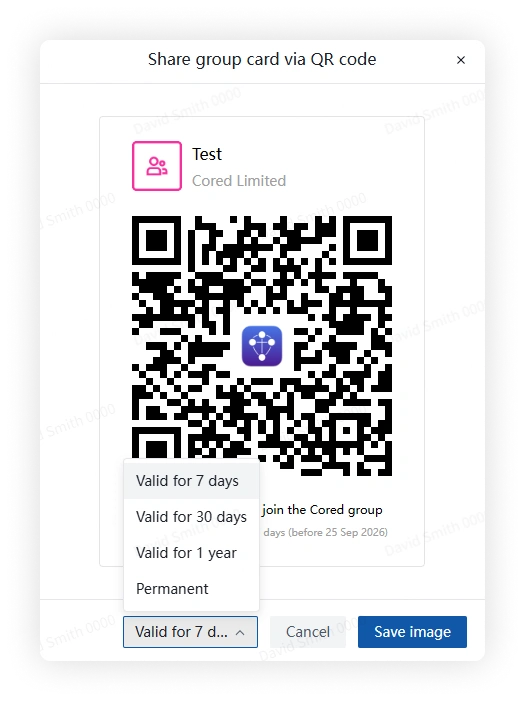
Choose how long the QR code remains valid. Available options include 7 days, 30 days, 1 year, and permanent.
-
Save and share the QR-code image. Recipients can scan it with the Cored mobile client.
FAQ
Why can't I share this group?
The group may allow only its owner and administrators to add members or share invitations.