
Transfer Ownership or Dissolve a Group
Overview
Only the group owner can transfer ownership or dissolve the group.
Transfer ownership
Desktop
-
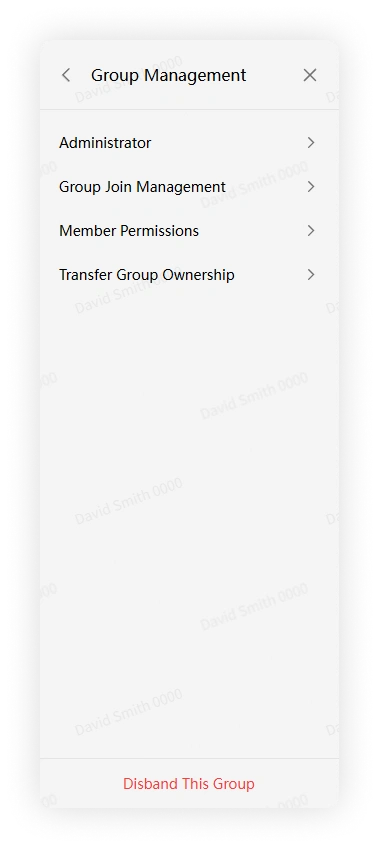
Click More Group Info > Group Management.
-
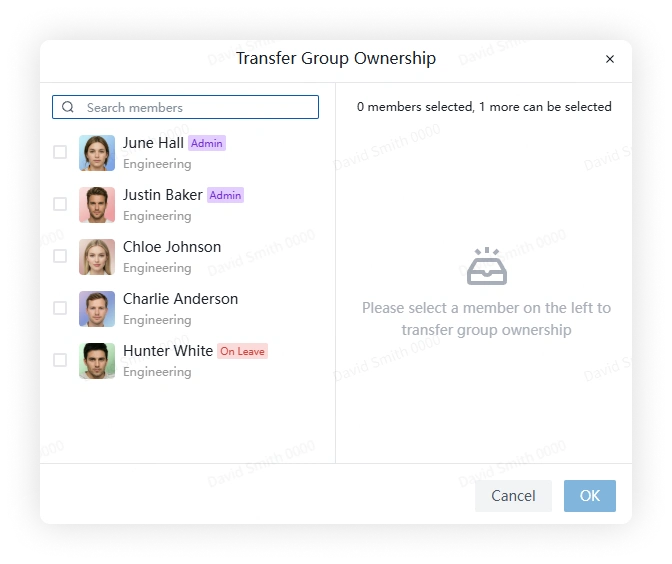
Click Transfer Owner, select a member, and confirm.
Mobile
-
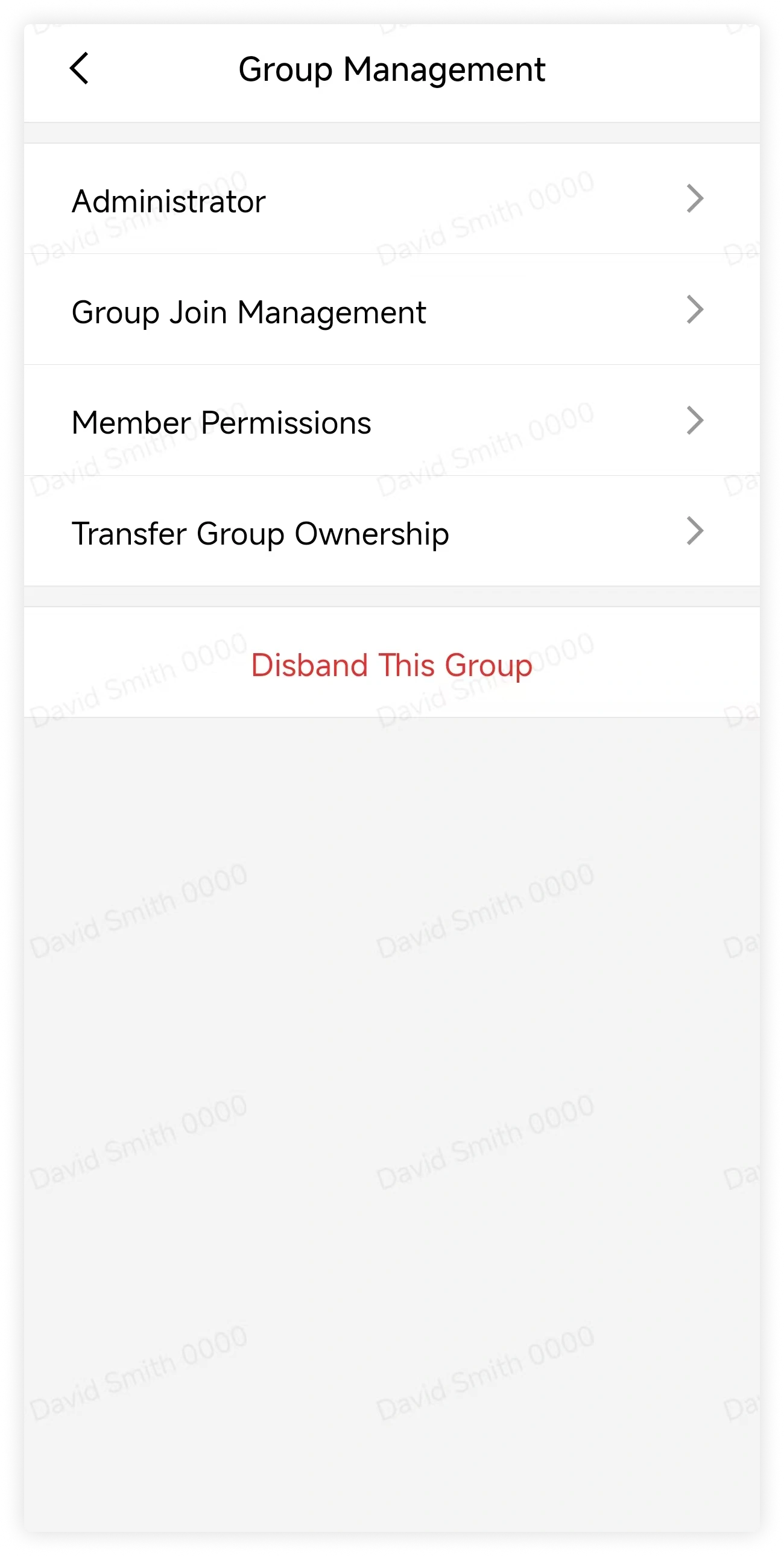
Tap More Group Info > Group Management.
-
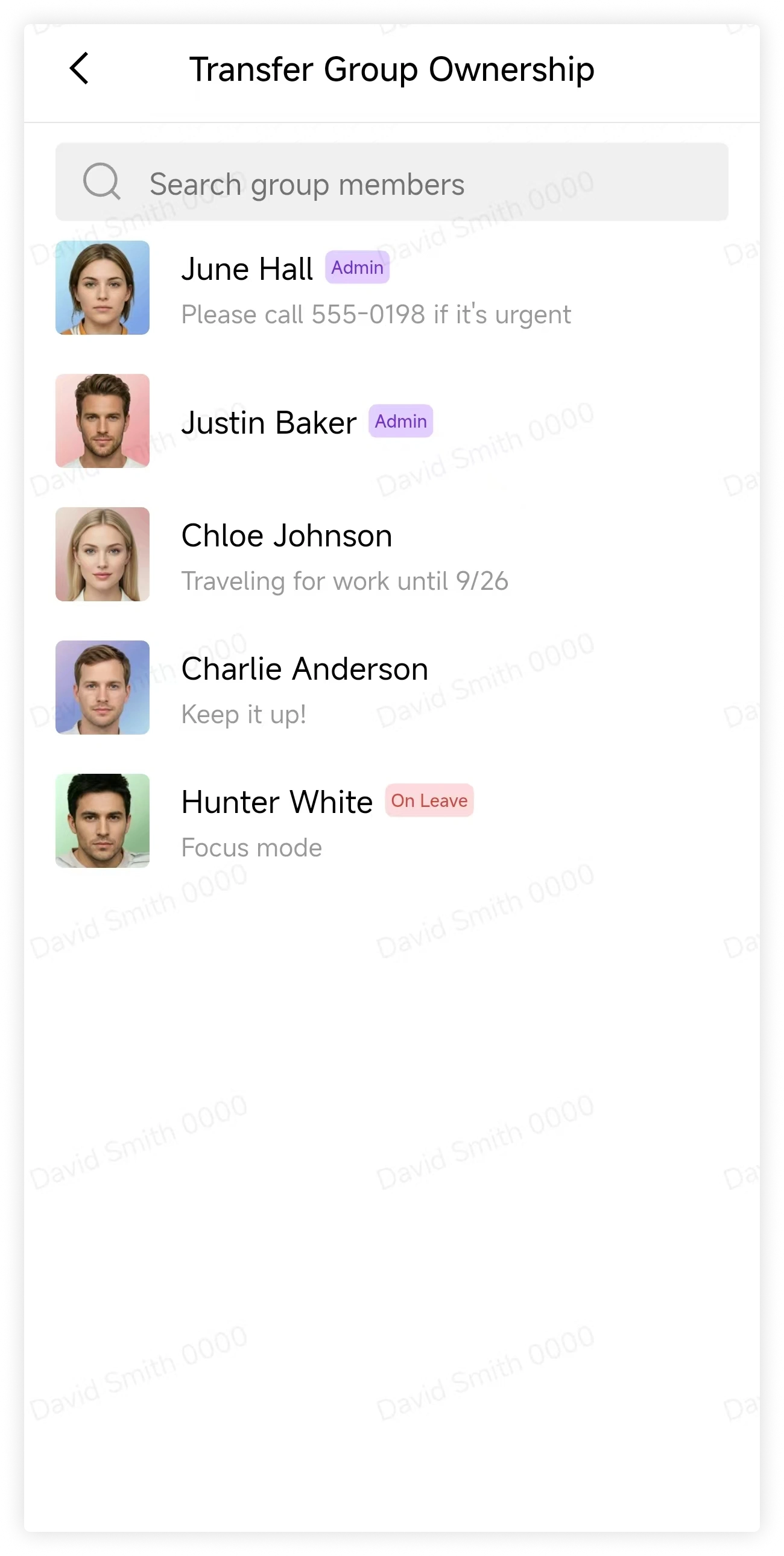
Tap Transfer Owner, select a member, and confirm.
Dissolve group
Warning
Dissolving a group permanently closes it for all members and cannot be undone.
Desktop
-
Click More Group Info > Group Management.
-
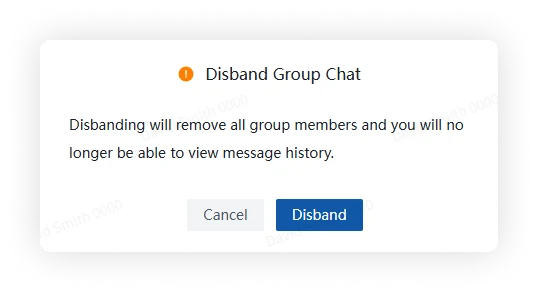
Click Dissolve Group, review the warning, and click Dissolve.
Mobile
-
Tap More Group Info > Group Management.
-
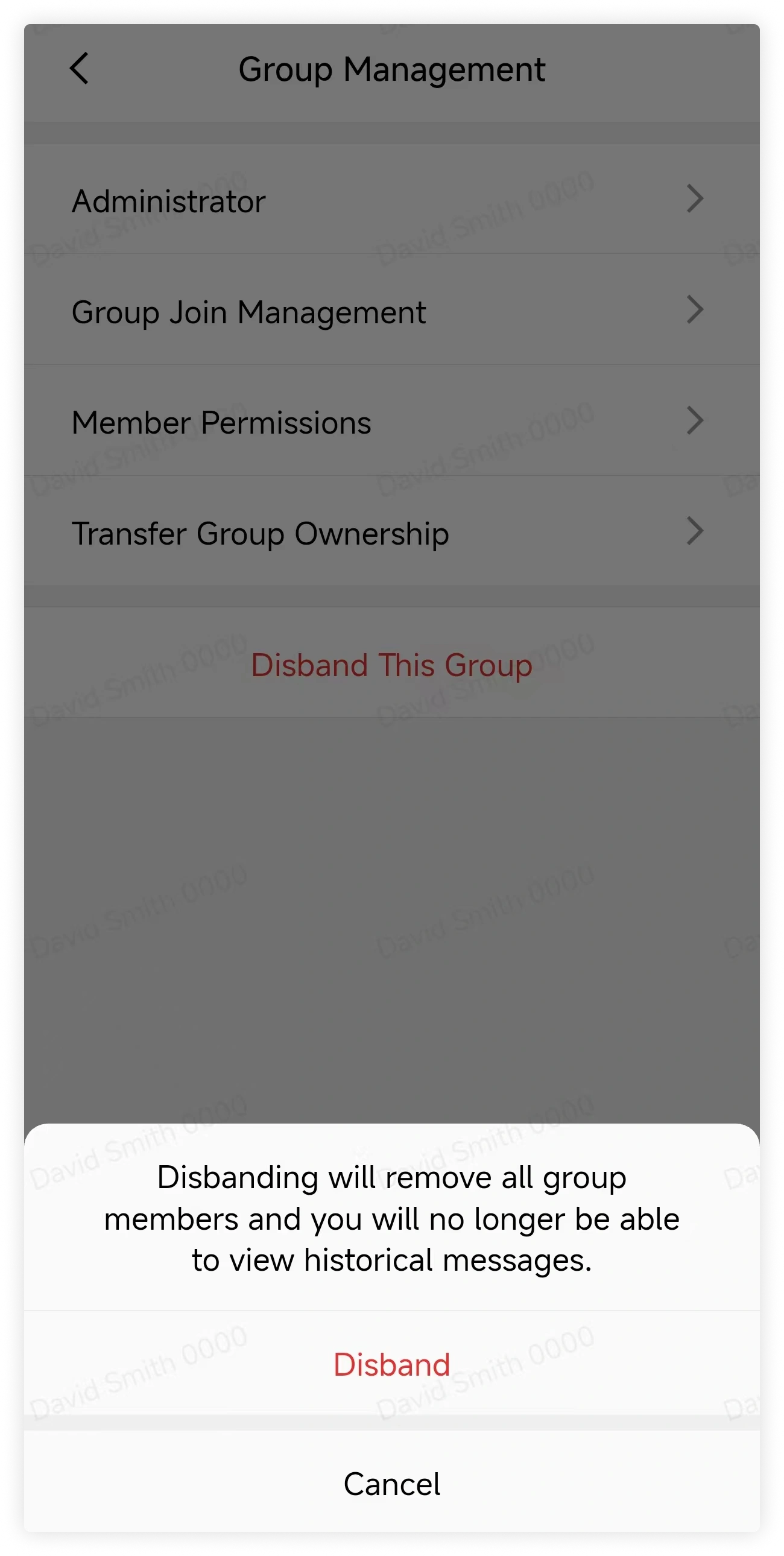
Tap Dissolve Group, review the warning, and tap Dissolve.
FAQ
If an owner leaves before transfer, who becomes the new owner?
It depends on group type and organization policy.
- For a department group, ownership follows the configured member-offboarding policy.
- For another internal group, ownership transfers to the current member who joined earliest, excluding the previous owner.
Can a dissolved group be restored?
No.