
Mobile - Login Guide
1. Set the server address
Open the app and tap the network settings button on the login screen.
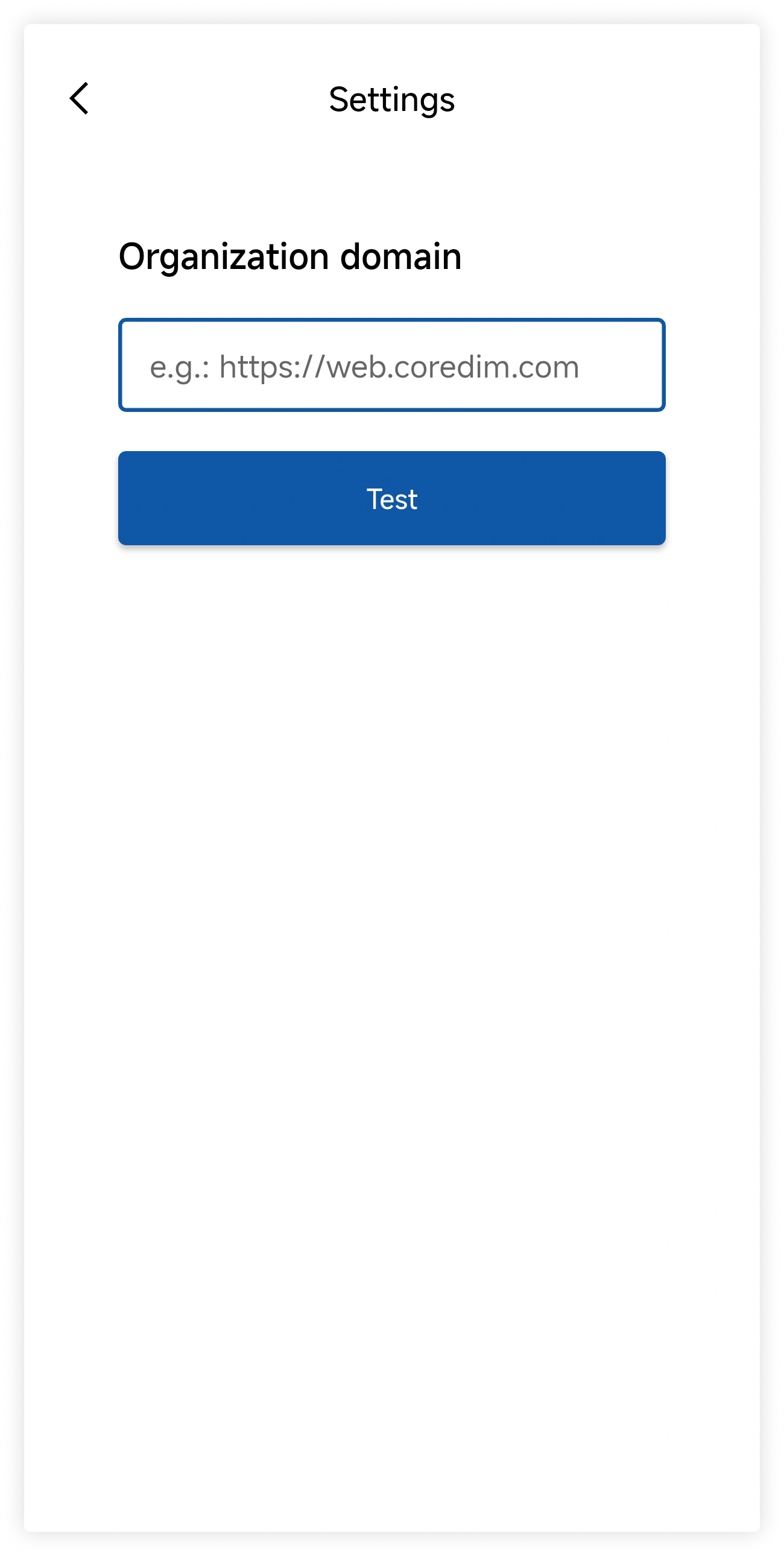
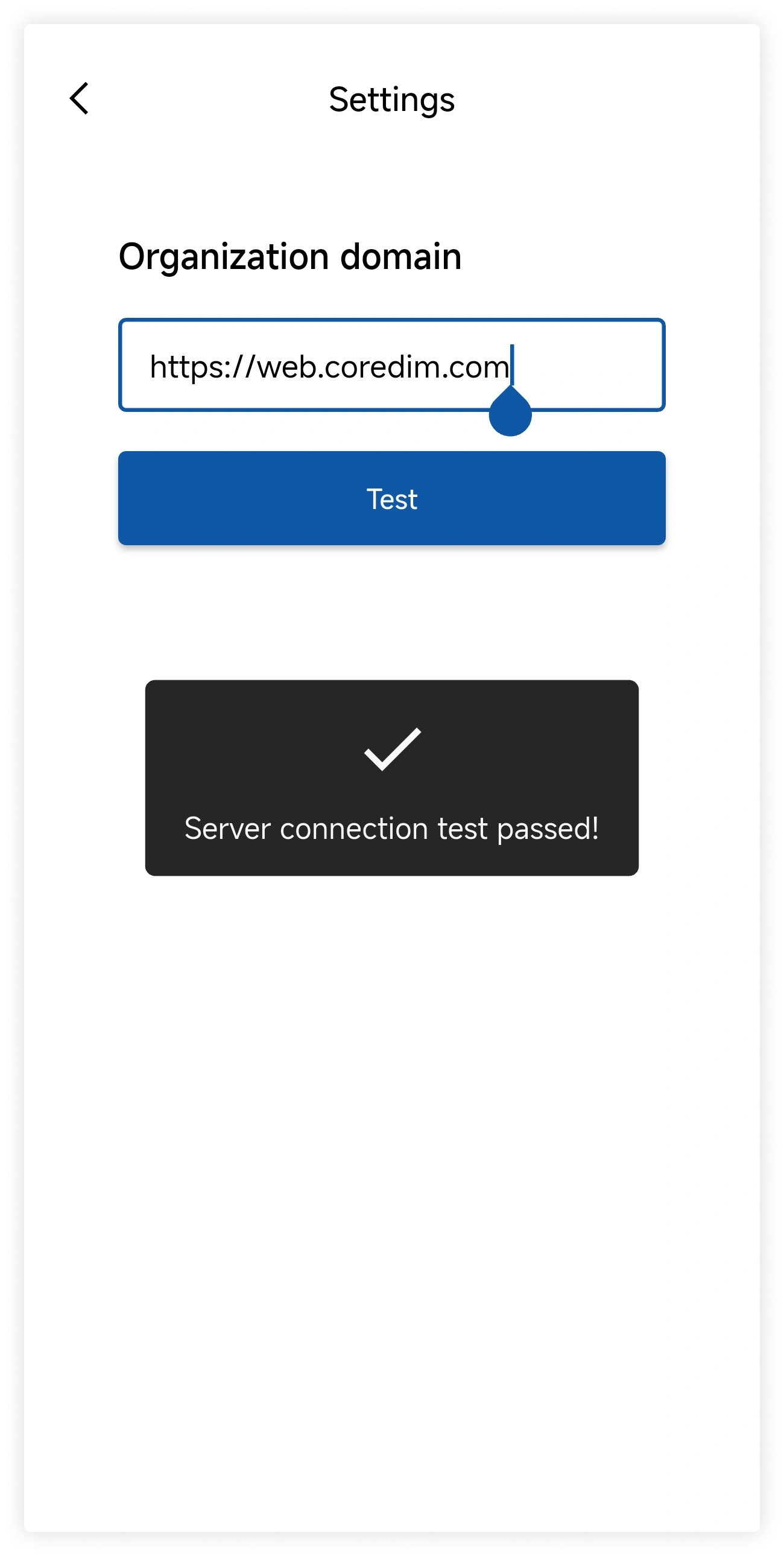
Enter the Cored server address provided by your organization and tap Test. Continue after the connection test succeeds.
2. Choose a login method
Cored supports two mobile login methods:
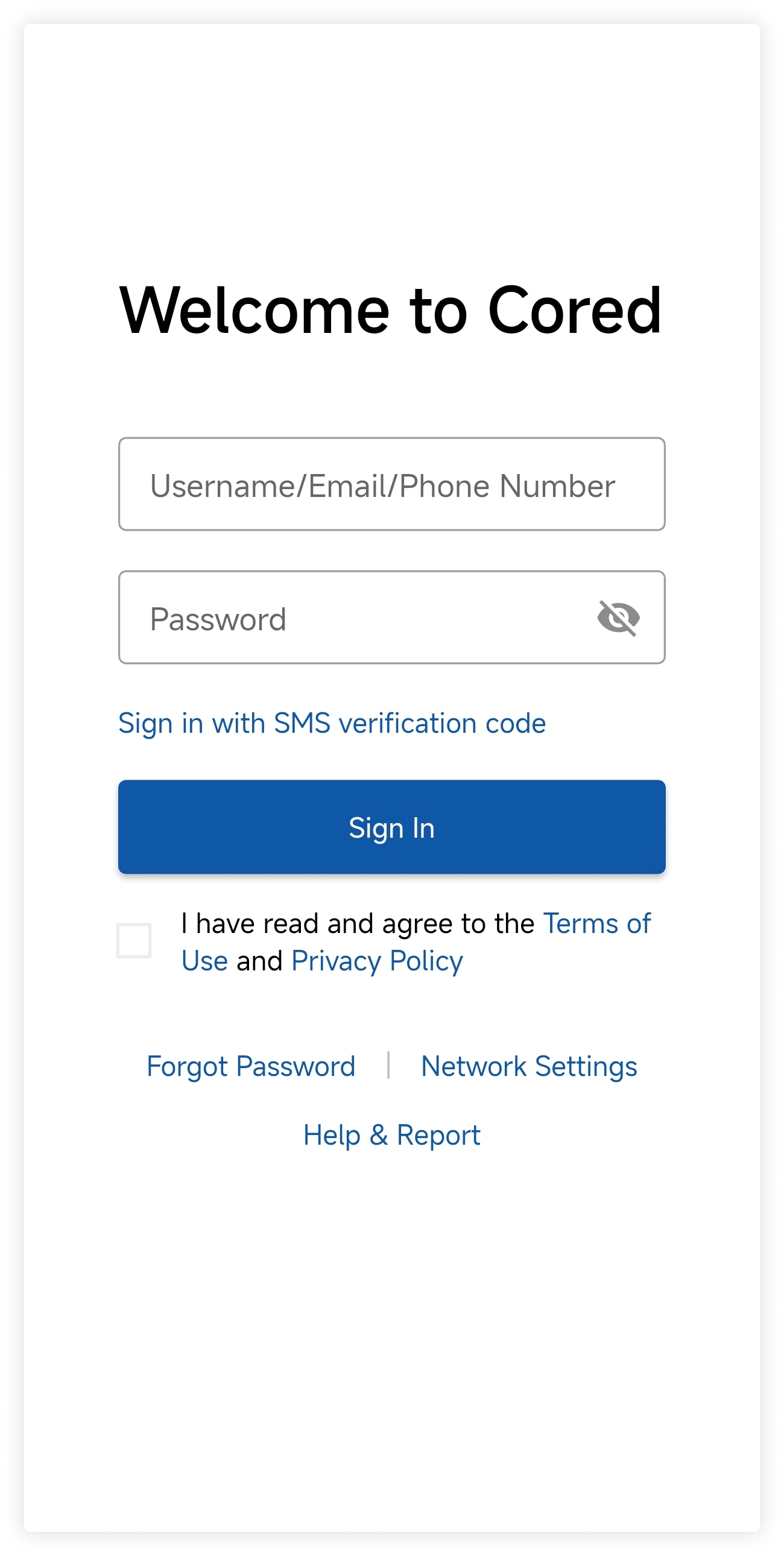
Account and password
Enter your account and password, accept the required agreements, and tap Sign In.
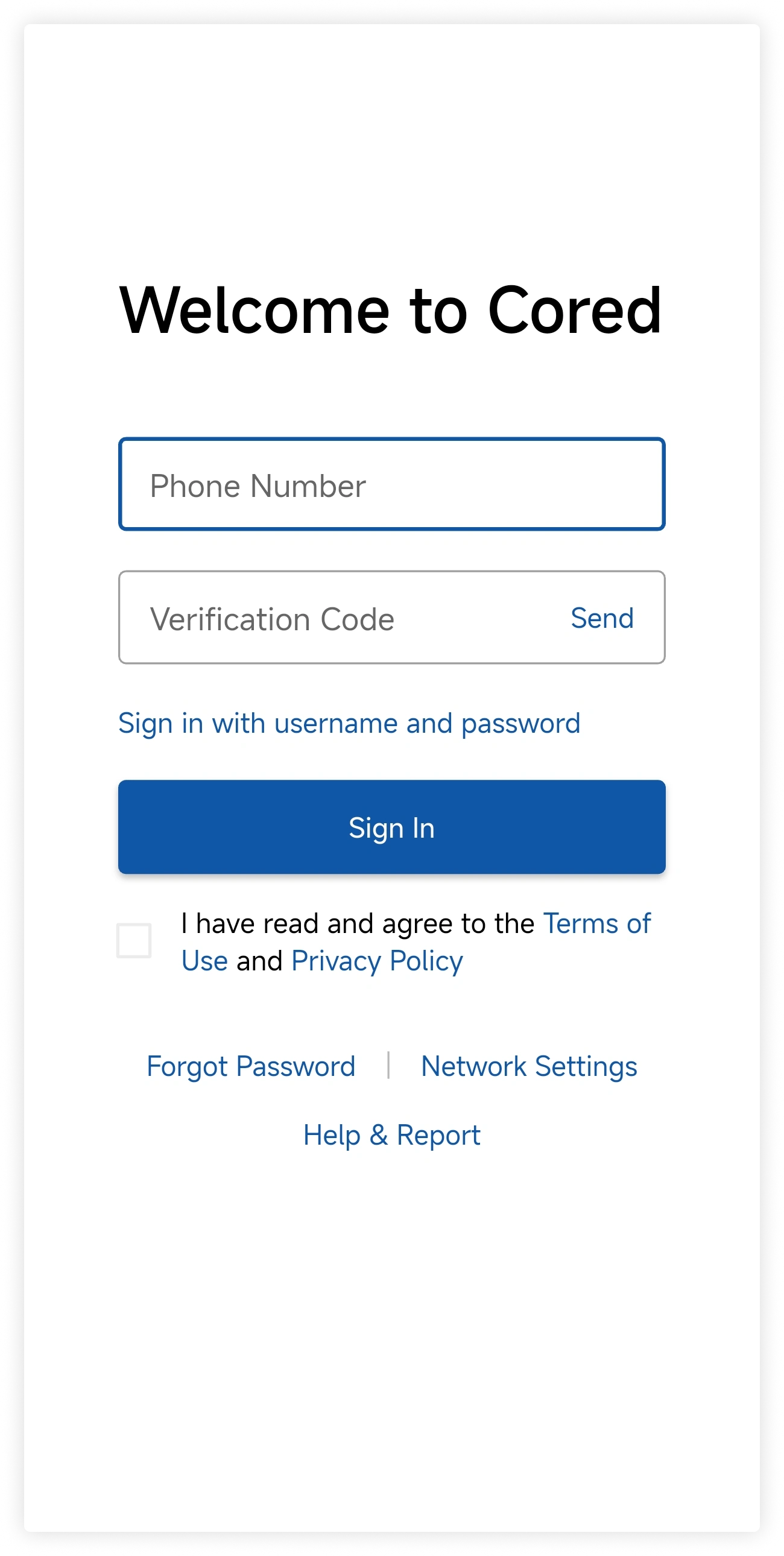
SMS verification code
Enter your phone number and verification code, accept the required agreements, and tap Sign In.
The available methods depend on your organization's sign-in policy.