
View Message Send and Read Status
Overview
Cored shows delivery and read information for messages you send.
Check whether a message is read
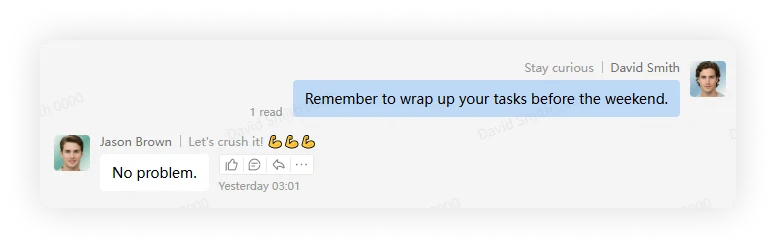
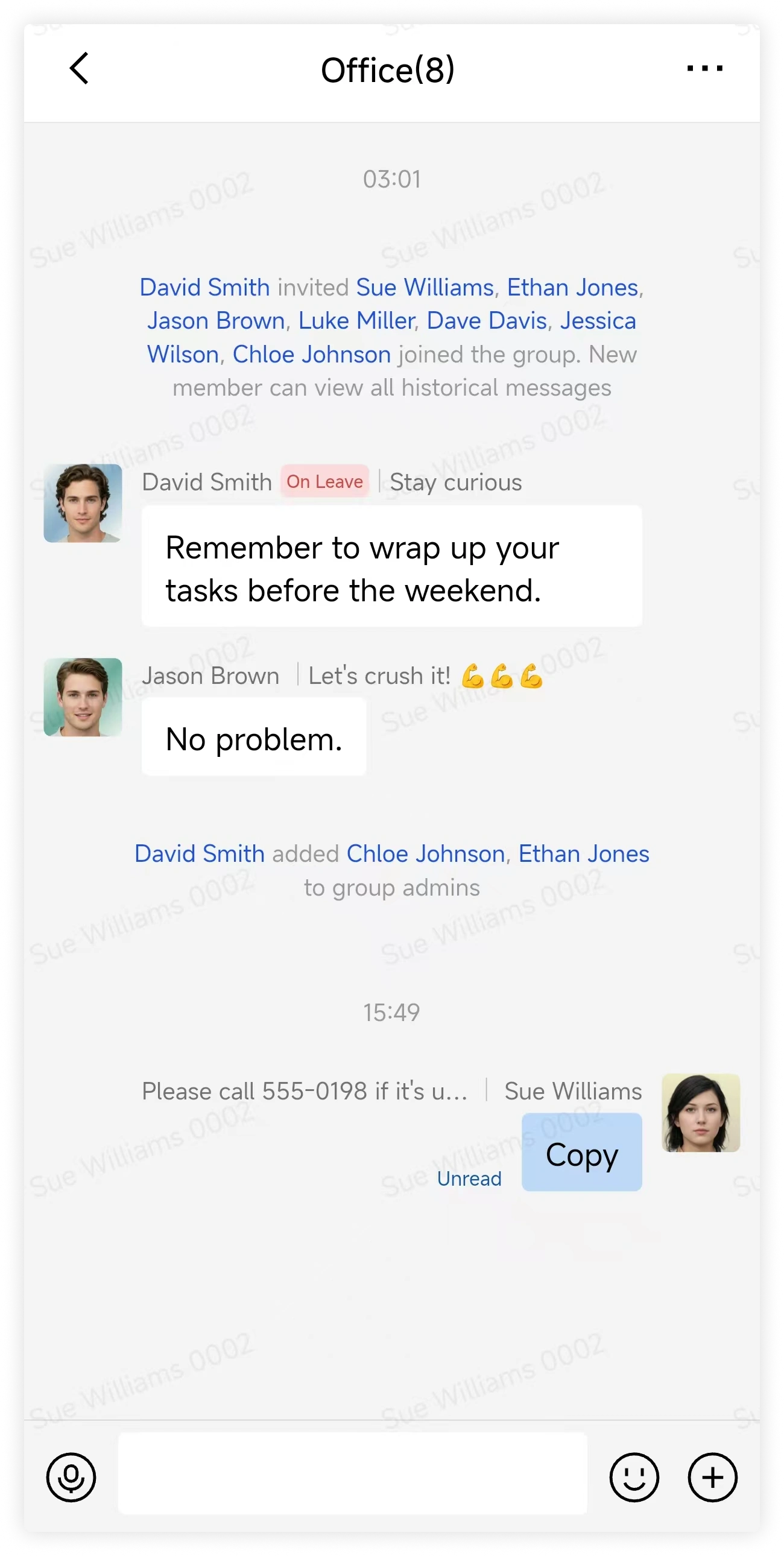
Status text appears near the lower-left corner of each message you send:
Unread: no recipient has read the message yet.Read <count>: the displayed number of recipients have read the message.
Select the read count to see the status for each recipient.
Desktop
Mobile
FAQ
How do I tell unread vs failed to send?
- A red exclamation mark means the message was not sent.
- An unread or read indicator means the message was sent successfully.
When is a new message considered read?
A message is marked as read after the recipient opens the conversation and loads it. Seeing only a notification preview does not mark the message as read.